
Essential Smart Device Setup for Families
- Alex Plasencia
- 4 hours ago
- 4 min read

In today's tech-driven world, smart devices are becoming essential for families looking to enhance their daily lives. From improving home security to simplifying daily tasks, the right setup can make a significant difference. This blog post will guide you through the essential smart device setup for families, ensuring you make informed choices that cater to your family's unique needs.
Understanding Smart Devices
Smart devices are electronic gadgets that connect to the internet and can be controlled remotely. They offer convenience, efficiency, and enhanced functionality. Here are some common categories of smart devices:
Smart Speakers: Devices like Amazon Echo and Google Nest that can play music, answer questions, and control other smart devices.
Smart Lights: LED bulbs that can be controlled via smartphone apps or voice commands.
Smart Thermostats: Devices that learn your heating and cooling preferences to optimize energy use.
Smart Security Cameras: Cameras that allow you to monitor your home remotely.
Smart Plugs: Devices that enable you to control appliances from your smartphone.
Benefits of Smart Devices for Families
Integrating smart devices into your home can provide numerous benefits:
Convenience: Control devices with your voice or smartphone, making daily tasks easier.
Energy Efficiency: Smart thermostats and lights can help reduce energy consumption.
Enhanced Security: Smart cameras and alarms provide peace of mind by allowing you to monitor your home.
Family Connectivity: Smart devices can help keep family members connected, even when they are apart.
Choosing the Right Smart Devices
When selecting smart devices for your family, consider the following factors:
Compatibility: Ensure devices work together and are compatible with your existing systems.
Ease of Use: Look for devices that are user-friendly and easy to set up.
Security Features: Prioritize devices with strong security measures to protect your family's data.
Budget: Determine how much you are willing to spend and look for devices that offer the best value.
Recommended Smart Devices for Families
Here are some essential smart devices that can enhance your family's daily life:
Smart Speaker
A smart speaker is a great starting point for any smart home setup. Devices like the Amazon Echo or Google Nest can play music, set reminders, and control other smart devices with voice commands.
Smart Lights
Smart lighting systems, such as Philips Hue or LIFX, allow you to control the brightness and color of your lights from your smartphone or through voice commands. This can help create the perfect ambiance for family movie nights or bedtime routines.
Smart Thermostat
A smart thermostat like the Nest Learning Thermostat can learn your family's schedule and adjust the temperature accordingly. This not only keeps your home comfortable but also helps save on energy bills.
Smart Security Camera
Investing in a smart security camera, such as the Ring Video Doorbell or Arlo Pro, can provide peace of mind. These devices allow you to monitor your home in real-time and receive alerts if any unusual activity is detected.
Smart Plugs
Smart plugs, like those from TP-Link or Wemo, enable you to control appliances remotely. You can schedule devices to turn on or off, which is perfect for managing things like lamps or coffee makers.
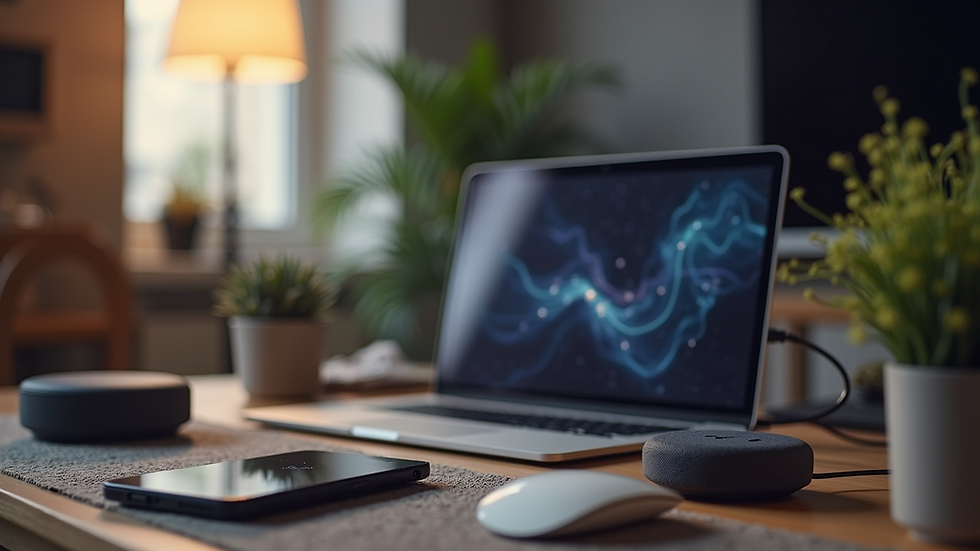
Setting Up Your Smart Home
Once you've chosen your devices, it's time to set them up. Follow these steps for a smooth installation process:
Create a Smart Home Hub: Consider using a hub like Samsung SmartThings or Amazon Echo Plus to connect all your devices. This will allow for easier management and automation.
Install the Apps: Download the necessary apps for each device on your smartphone. This will enable you to control them remotely.
Connect Devices: Follow the manufacturer's instructions to connect each device to your home Wi-Fi network. Ensure that all devices are compatible with your hub.
Set Up Voice Control: If you have a smart speaker, link it to your smart devices for voice control. This can make it easier for family members to interact with the technology.
Create Routines: Use your smart home app to set up routines. For example, you can create a "Good Night" routine that turns off all lights and lowers the thermostat at bedtime.
Ensuring Family Safety with Smart Devices
While smart devices offer convenience, they also come with security risks. Here are some tips to keep your family safe:
Change Default Passwords: Always change the default passwords on your devices to something unique and strong.
Enable Two-Factor Authentication: Use two-factor authentication whenever possible for added security.
Regularly Update Firmware: Keep your devices updated to protect against vulnerabilities.
Limit Access: Only give access to trusted family members and friends.
Teaching Kids About Smart Devices
As families integrate smart devices into their homes, it's essential to educate children about their use. Here are some tips:
Set Guidelines: Establish rules for using smart devices, such as screen time limits or appropriate content.
Encourage Responsibility: Teach kids how to use devices safely and responsibly, including privacy considerations.
Involve Them in Setup: Let children help with setting up devices to foster interest and understanding.
Troubleshooting Common Issues
Even with the best devices, you may encounter issues. Here are some common problems and solutions:
Device Not Responding: Ensure the device is connected to Wi-Fi and powered on. Restarting the device can often resolve connectivity issues.
App Crashes: Make sure the app is updated to the latest version. If problems persist, uninstall and reinstall the app.
Voice Commands Not Working: Check the microphone settings on your smart speaker and ensure it is not muted.
Future Trends in Smart Home Technology
The world of smart home technology is constantly evolving. Here are some trends to watch for:
Increased Integration: Expect more devices to work seamlessly together, creating a more cohesive smart home experience.
AI and Machine Learning: Future devices will likely use AI to learn user preferences and automate tasks more intelligently.
Sustainability: Eco-friendly smart devices that help reduce energy consumption will become more prevalent.
Conclusion
Setting up a smart home can significantly enhance your family's daily life, providing convenience, security, and connectivity. By choosing the right devices and ensuring a secure setup, you can create a smart environment that meets your family's needs. As technology continues to evolve, staying informed about new trends will help you make the most of your smart home experience. Embrace the future and enjoy the benefits of a connected home!


Comments